
First Published 11 Sept 2025
This article was prompted by a thread at Access World Forums: Transforming database from 2010 model or higher to 2003
There are two possible ways of transferring database objects from an ACCDB file to an older MDB file format.
1. Save As MDB
ACCDB files can normally be converted to MDB – either 2000 or 2002/2003 file format using the Save As dialog in the File | Backstage view.
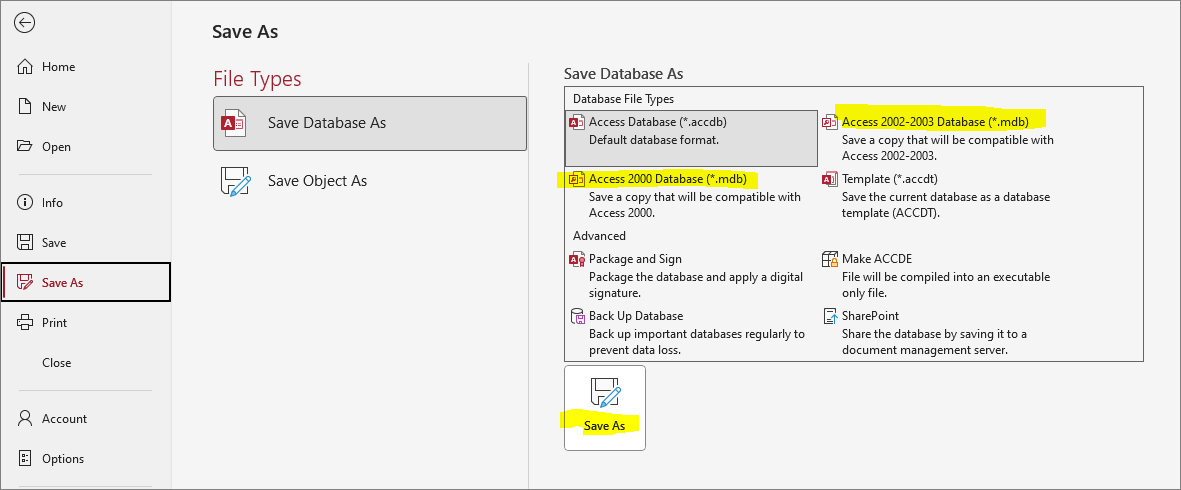
However, the process will fail if the ACCDB file contains features not available in the older version.
Things that may cause problems include:
• new field types - attachment fields, MVFs & column history, calculated fields
• new datatypes e.g. large integer (AKA bigint), date/time extended
• new control types e.g. navigation control, modern chart
• new features e.g. data macros
• links to unsupported external file types as linked tables or library references e.g. ACCDB, XLSX
• newer default sort order
In fact Access lists many of the possible causes in the error message shown if there are multiple issues:
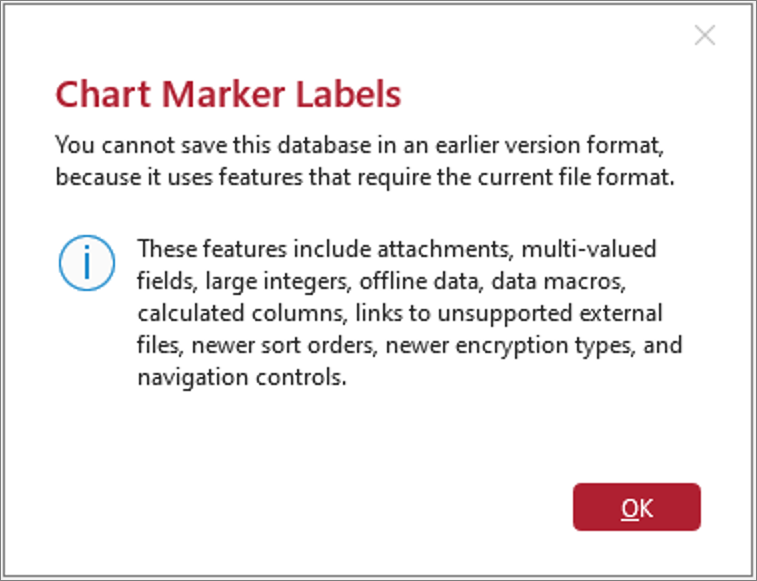
First of all, check and replace any of the items listed in the first four bullet points with items that are compatible with .MDB files.
Even if you have none of the newer field / data / control types or features, the sort order can often be the problem as its easy to overlook.
This error message will be shown if the sort order is the only problem:
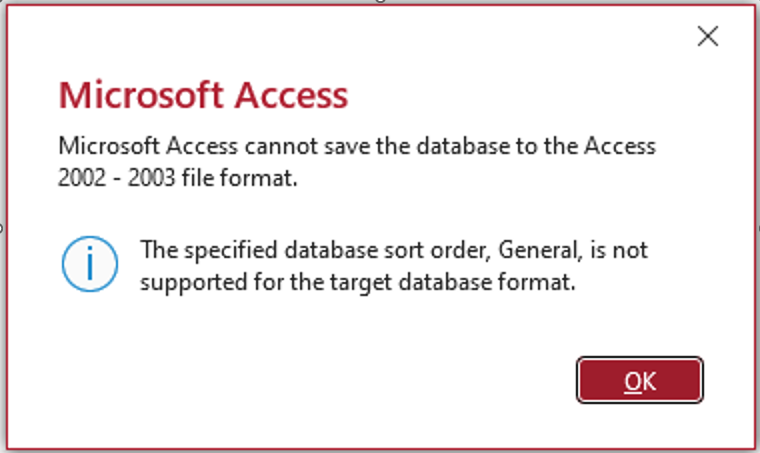
To fix this issue, go to Database Options | General and change the new database sort order from e.g. General to General - Legacy.
NOTE: You will need to compact and repair the current database to make this change take effect.
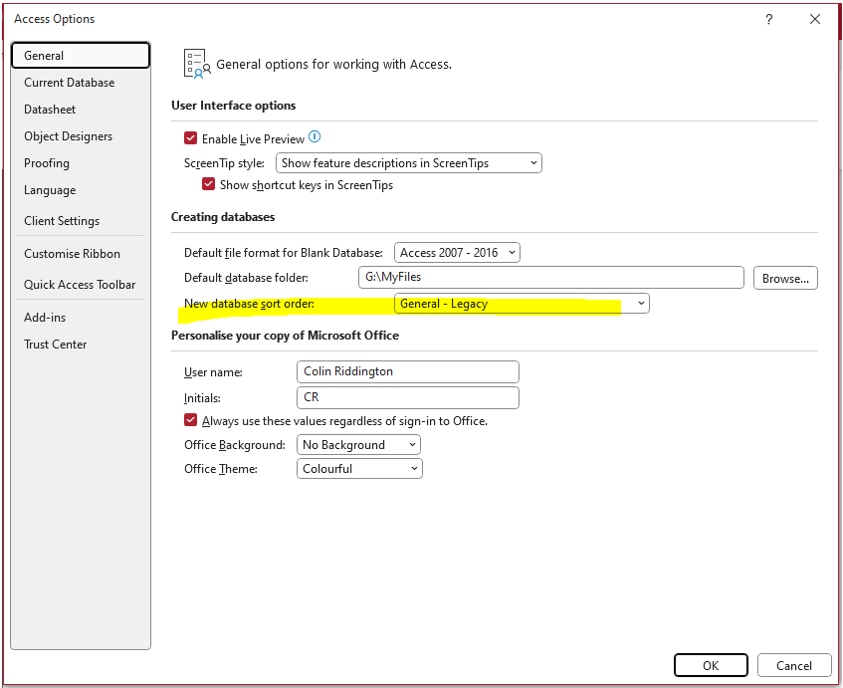
It should then be possible to save the database as an MDB file successfully.
NOTE: Any 64-bit only APIs must also be converted for use in older 32-bit versions of Access
2. Import to MDB
Similarly, you can import database objects from an ACCDB file to an MDB file . . . with the above limitations
The reason you cannot import all database objects from an ACCDB to a MDB file because the older file type has no knowledge of the newer ACCDB file format features.
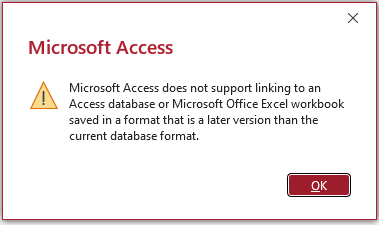
You also cannot link ACCDB tables (or Excel XLSX files) to an MDB file. Attempting to do so triggers this error:
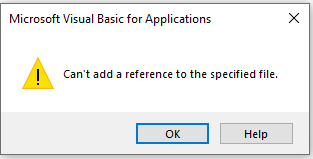
For similar reasons, you cannot use an ACCDB file as a library reference in an MDB file:
Feedback
Please use the EMail button in the contact form below to let me know whether you found this article useful or if you have any questions.
Please also consider making a donation towards the costs of maintaining this website. Thank you
Colin Riddington Mendip Data Systems Last Updated 11 Sept 2025
|
Return to Access Blog Page
|
Return to Top
|