| AEU Meeting Date 5 Aug 2026 starting at 18:00 UK Time (UTC+1) | Last Updated 20 Aug 2026 |
|---|

Meeting Details:
This Access Europe meeting will be on Wednesday 5 Aug 2026 starting at 18:00 UK time (6PM UTC+1) and finishing at about 19:30 (7.30PM)
The start time is equivalent to 19:00 (7PM) in Central Europe and 10AM in Seattle / PST
Please note that the UK is currently on Summer Time (UTC+1). For local times, please check World Time Buddy
We use Zoom as our meeting application. Please click this link to Get Zoom if you don’t already have it.
When the time comes for the meeting, please use the following link: Join Zoom Meeting
If you are asked, use: Meeting ID: 924 3129 5683 ; Passcode: 661210
All sessions are recorded and later uploaded to the Access User Groups channel on YouTube
If you do not wish to be part of the recording, please ensure your webcam and microphone are both switched off during the meeting.
Download Outlook Calendar (.ics file):
Click to download: Outlook Calendar (.ics). Save in Outlook to create a recurring event for each month.
Topic outline:
Microsoft Access still relies on old-fashioned UI controls and lacks many modern controls.
This sometimes leads users to perceive Access applications as being less powerful due to their outdated appearance. This is incorrect.
Approach & Technology
Use of Edge Browser control to directly integrate modern web technologies (HTML, CSS, JavaScript) into Access.
Demonstration
Live presentation of modern UI components integrated into Access, including:
Date/time picker, date range picker, star rating, slider, combo box with icons, drag-and-drop sorting, WYSIWYG editor, progress bar, Kanban board, hamburger menu, and tree view.
How it works
General explanation of communication between Access (VBA) and the embedded Edge browser control, including event handling and data exchange.
Practical example & debugging
Step-by-step demonstration of a simple example.
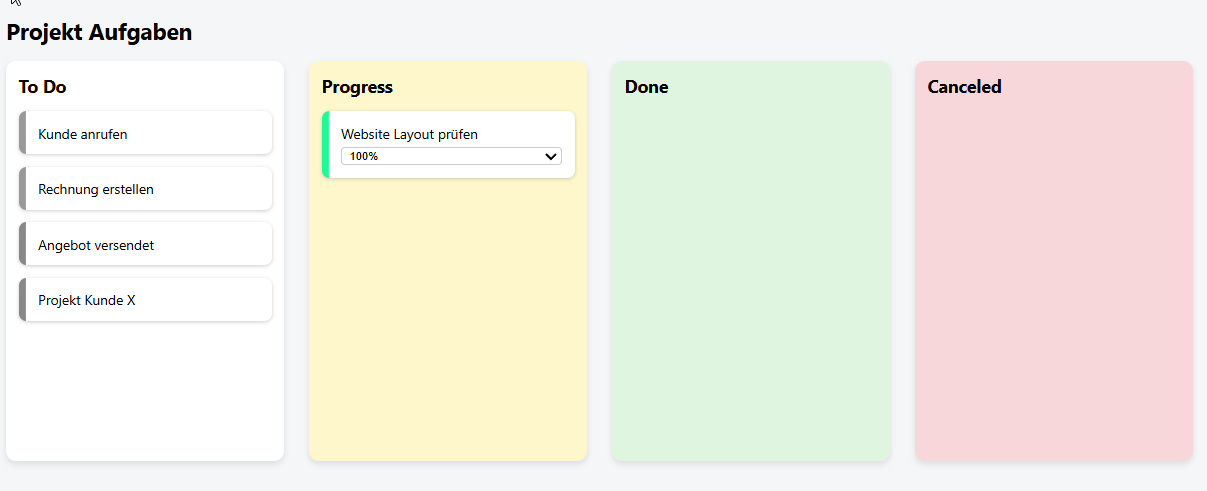
Kanban board:
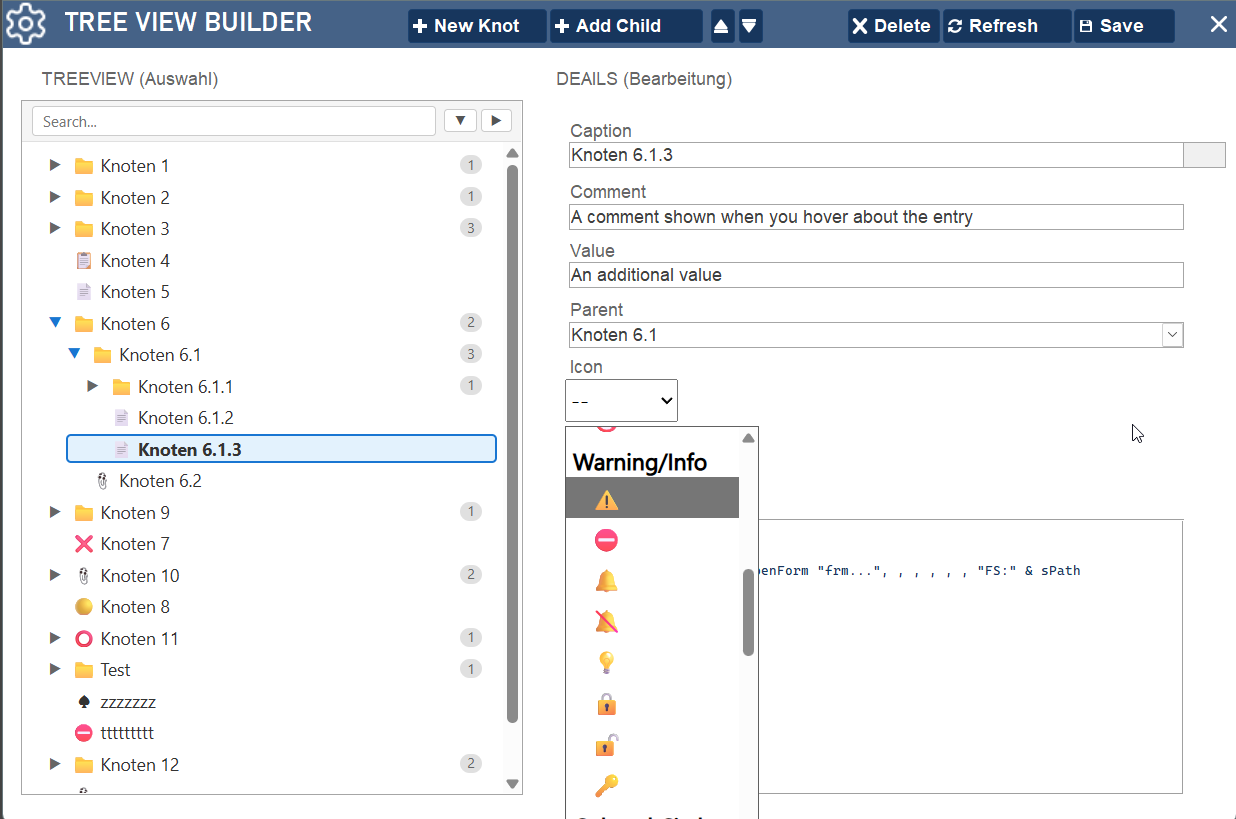
Treeview Builder:
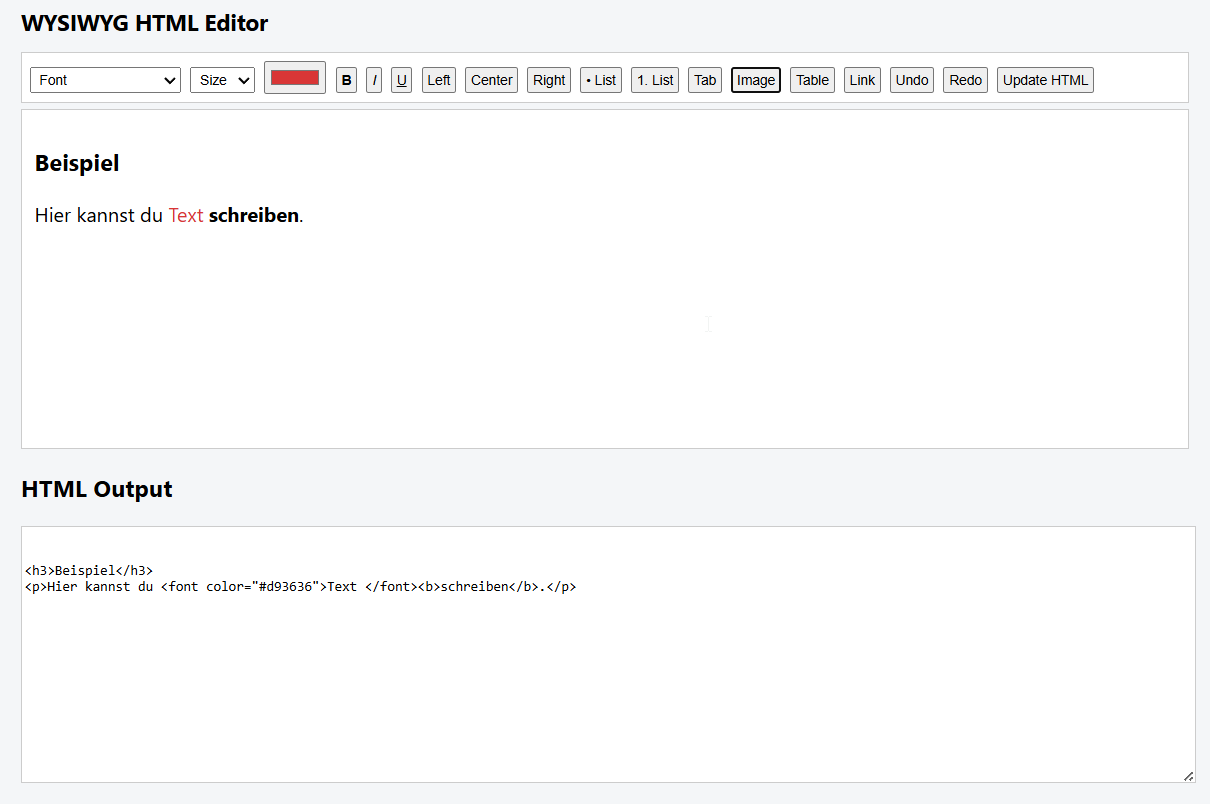
WYSIWYG HTML Editor:
Background:

Marcus is an Air-Application technician and works for the NATO Communications and Information Agency (NCIA). His main task is the installation and maintenance of servers used for airspace surveillance (aircrafts and missiles).
He served as an NCO in the German Air Force for over 30 years and was involved in several missions. A typical task as a platoon leader was to maintain and evaluate all the sports results of all soldiers. Since manual evaluation was too time-consuming for him, he began developing an Excel file with automatic evaluation, which later ended up as an Excel database. So he started developing Access databases. He has now turned his hobby into a side job.
He tries to make the most of the outdated Access UI to give users a modern user experience. Therefore, he has a section (in English) on his website called Access Design Update showing how to make Access look modern.
Website: DIETERLE programmierung Mostly in German but with some articles in English.
Downloads
Click to download:
• The presentation from this session as a PDF file:
AEU54_Presentation_Aug2026 Approx 4.9 MB
• The slider control example database and accompanying PDF files in English/German: Slider_v1.0.14 Approx 2.4 MB (zipped)
Video:
The meeting was recorded and the video is now available on the Access Europe YouTube channel at https://youtu.be/-oHP2aNTca4 or you can click below:
Feedback
Please use the E-Mail button in the contact form below to let me know whether you found this article useful or if you have any questions.
Please also consider making a donation towards the costs of maintaining this website. Thank you
| Colin Riddington | Mendip Data Systems | Last Updated 20 Aug 2026 |
|---|
|
Return to Access Europe Page
|
Return to Top
|