| First Published 5 Mar 2026 |
|---|

Over the years, it has been extensively recorded that the date origins for Excel and Access are different. This can lead to discrepancies in dates for the year 1900.
When it was first released in 1985, Excel was designed to be compatible with Lotus-123 which was the leading spreadsheet app at the time. Date values were stored as numbers with the default origin date (day 1) being January 1, 1900. Unfortunately, this compatibility also meant that Excel included the Lotus date bug where 1900 was wrongly treated as a leap year.
For example. the screenshot below is from a CoPilot search (though it also contains errors!)
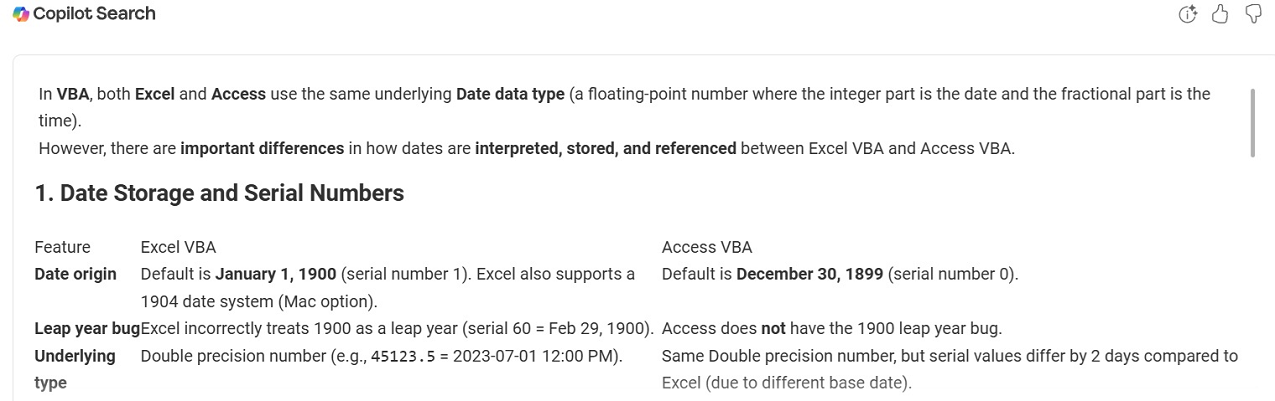
For example, see the MS Learn article: Excel incorrectly assumes that the year 1900 is a leap year.
Excel also does not easily handle dates before January 1, 1900 though workarounds exist.
By contrast, Access has day 0 as its default origin which is set as December 30, 1899. The year 1900 is correctly NOT treated as a leap year.
Handling 'negative' dates prior to day 0 is also built into Access.
Regarding Excel dates, it is necessary to distinguish between calculations made in Excel worksheets and those done in the Visual Basic Editor (VBE) using the Office VBA library.
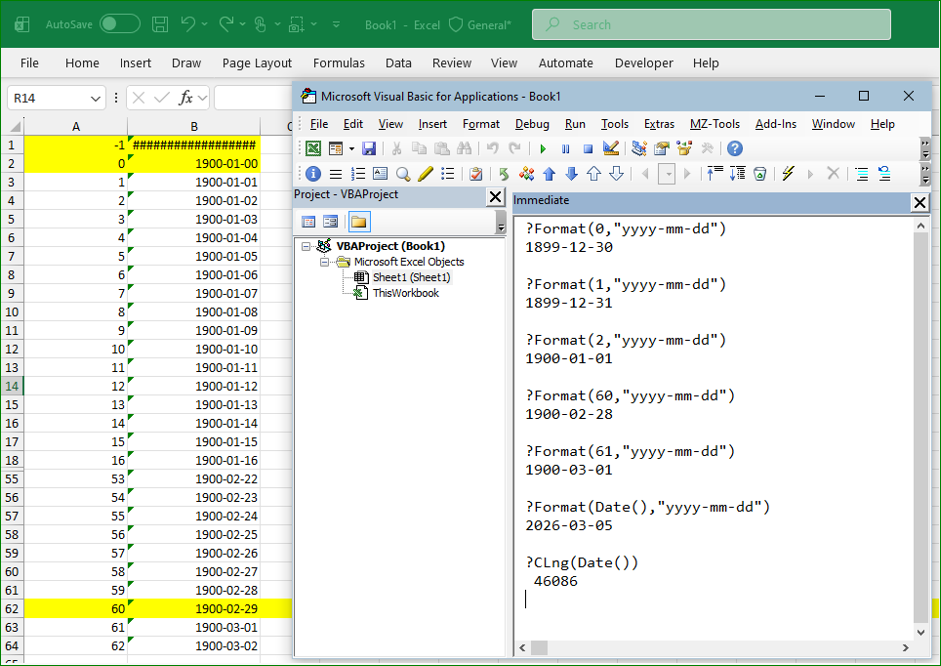
As you can see above, in the Excel worksheet, day 1 is shown as 1900-01-01 and it has a nonsense date 0 of 1900-01-00. Negative dates such as -1 aren't accepted.
It also wrongly includes a leap date 1900-02-29 as day 60.
Dates in the VBE start at 1899-12-30 for day 0 (same as in Access) and do not include the incorrect leap date.
The result is both calculations are identical from 1900-03-01 onwards in Excel.
In Access, both the Access Expression service used in query calculations and the VBE give consistent values for ALL dates. Access also allows for negative date values such as -1.
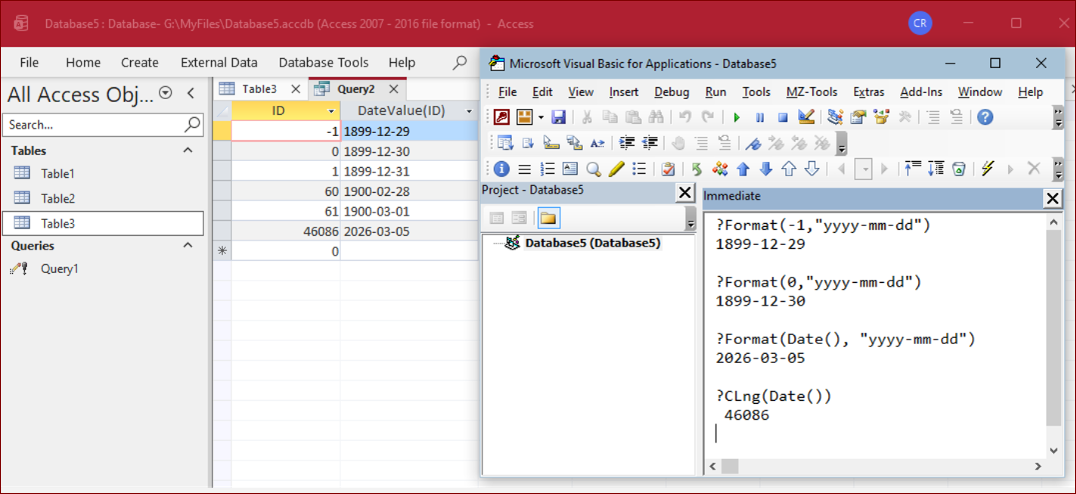
CoPilot is therefore incorrect about discrepancies between date values in Access and Excel (from 1900-03-01 onwards).
It is also incorrect in stating that any differences apply to calculations done using VBA in the two applications.
As all dates are consistent in both applications from 1900-03-01 onwards, the risk of error when importing / exporting data betwwn the two apps is thankfully minor.
However, care will need to be taken when transferring any date values prior to 1900-03-01. For example, importing the Access example data above to Excel:
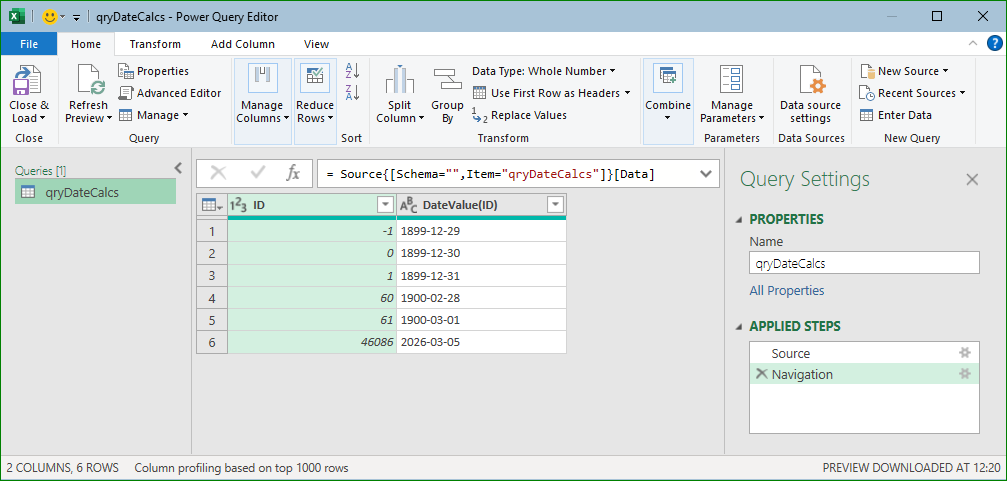
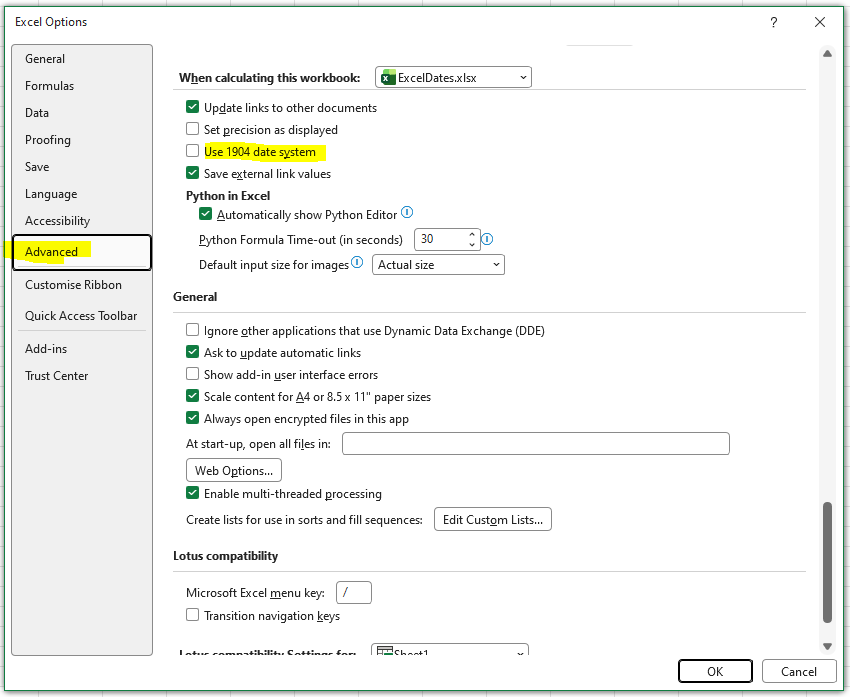
NOTE: To (partly) get around these problems, Excel also supports a 1904 date system where day 1 is defined as 1904-01-01. However, the 1900 date system remains the Excel default.
Feedback
Please use the E-Mail button in the contact form below to let me know whether you found this article useful or if you have any questions.
Please also consider making a donation towards the costs of maintaining this website. Thank you
| Colin Riddington | Mendip Data Systems | Last Updated 5 Mar 2026 |
|---|
|
Return to Access Blog Page
|
Return to Top
|