
First Published 21 Aug 2025 Last Updated 4 Sept 2025
The issues described in this article were first reported in a thread at AccessForums.net: Export Query to HTML Now Encoding Characters
Issues occur when the wizard is used to export object data to HTML with formatting and layout (method 2 below)
UPDATE 4 Sept 2025:
The issue was reported on 19 Aug and quickly followed up by the Access team. Exported data is no longer encoded.
The fix was released to the Beta Channel with version 2509 build 19230.20002 on 2 Sept. Other channels will receive the fix soon.
There are three different methods of exporting objects to HTML:
1. Export data using wizard
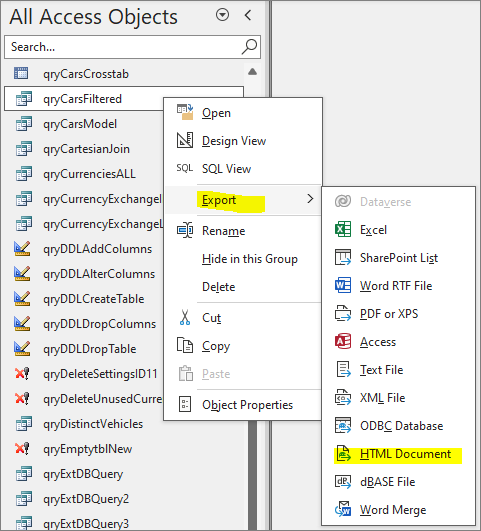
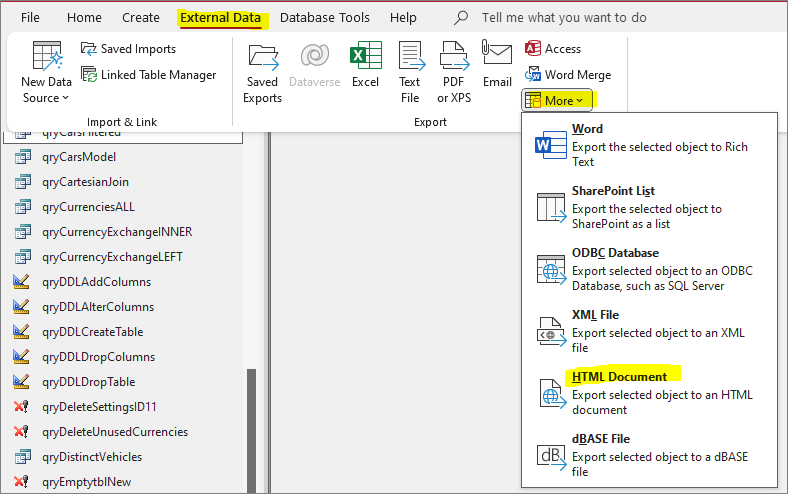
The Export HTML Document wizard is available either from the right click context menu in the navigation pane or from the External Data ribbon.
| Context menu | External Data ribbon |
|---|---|
|
|
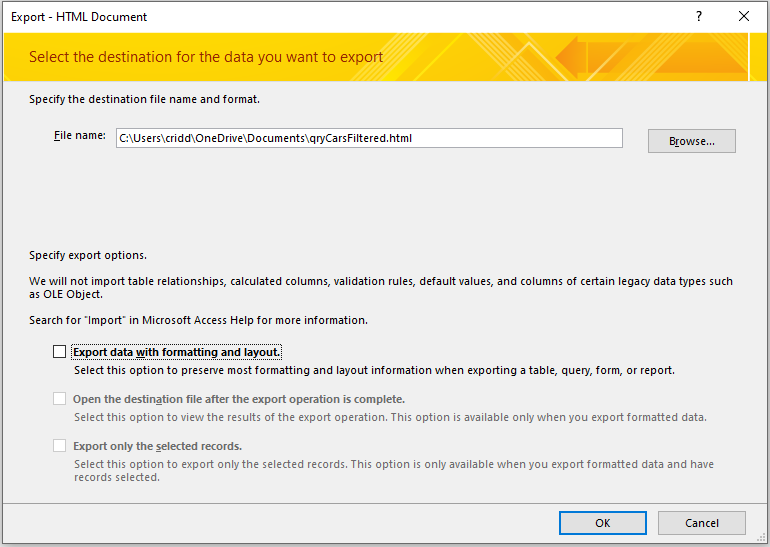
In this case, none of the export options have been ticked.
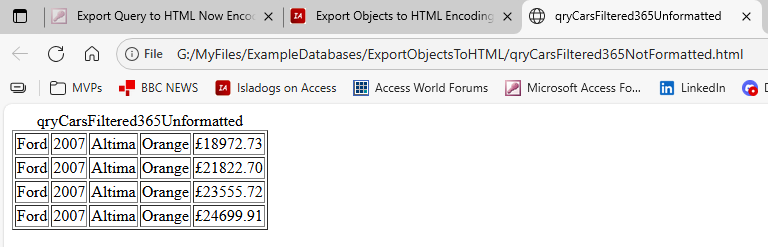
The HTML output does not include field headings.
The underlying HTML can also be viewed in a text editor such as Notepad++.
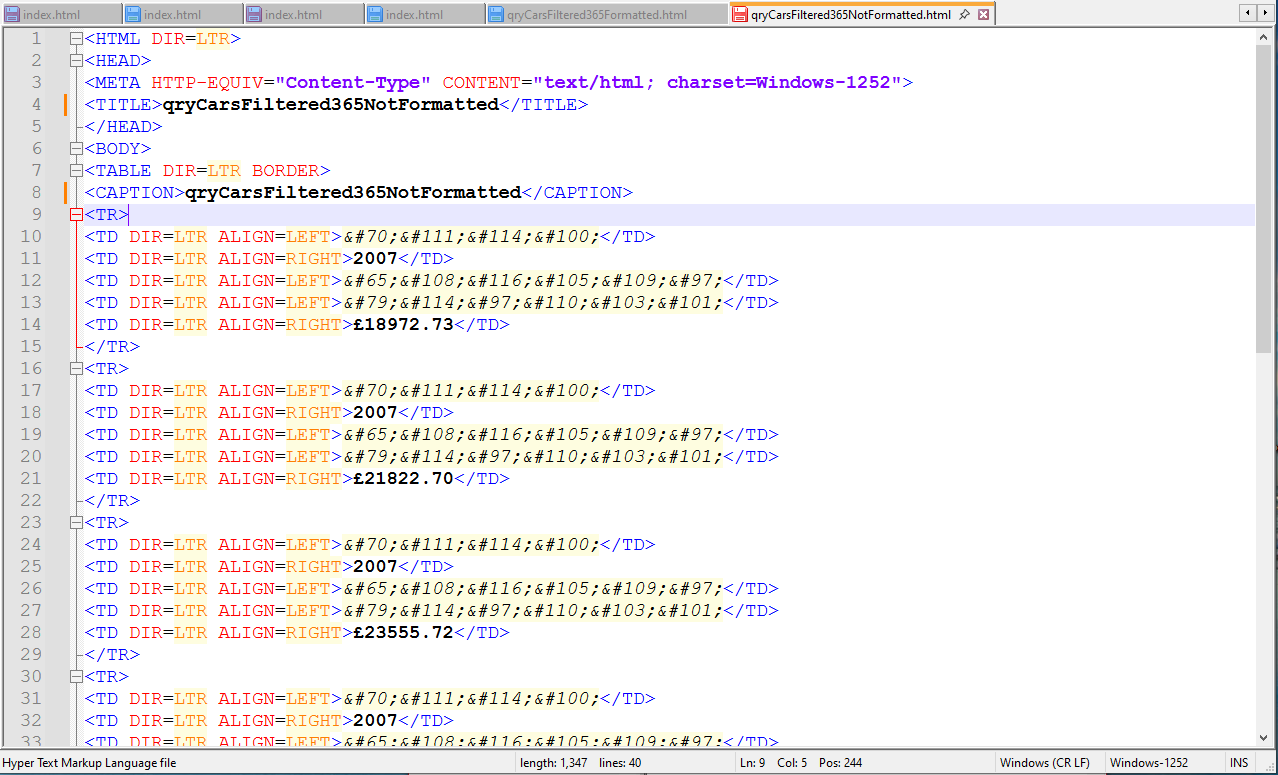
The text data is encoded but not that for number fields (including currency and dates).
2. Export data with formatting and layout using wizard
This is the standard option that most developers use.
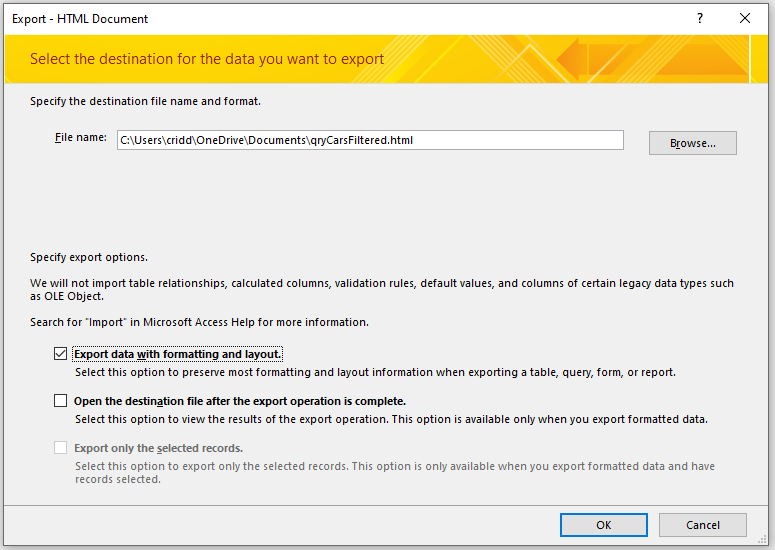
In this case, the Export data with formatting and layout checkbox is ticked. Optionally you can choose to open the file after export is complete.
The HTML output file includes field headers formatted in bold with background shading:
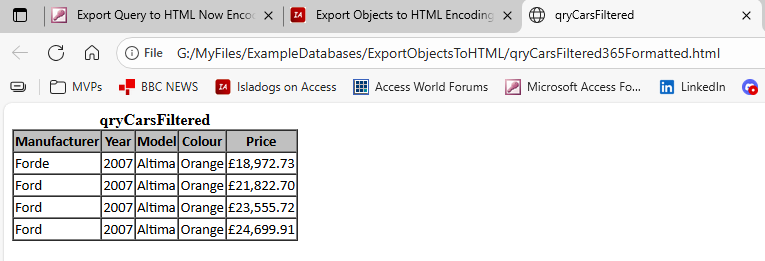
Notice also the extra letter 'e' at the end of the first record (Forde) in the first column (Manufacturer). This isn't in the data and the issue has wider effects which I will return to later.
The underlying HTML now has ALL data encoded.
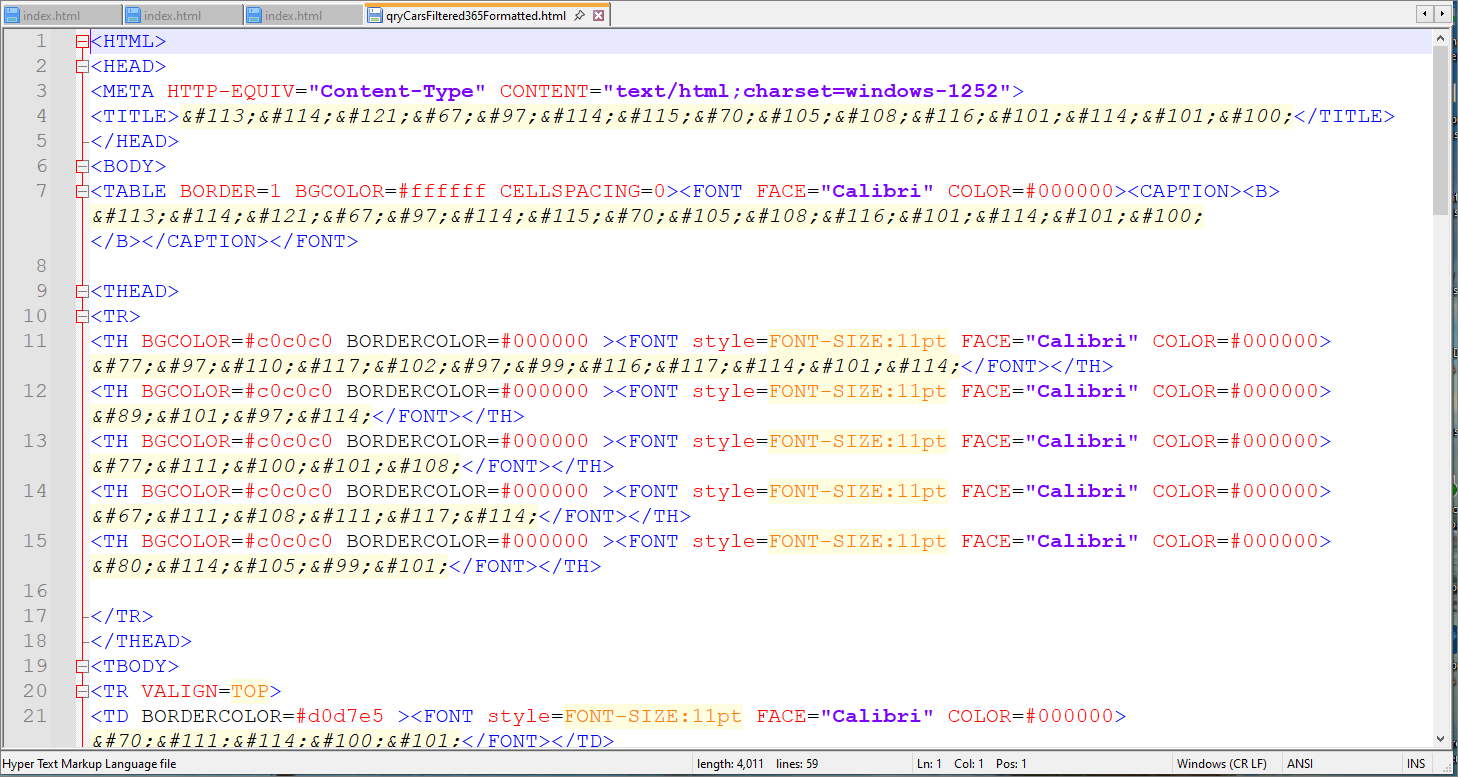
This makes editing the data after export more difficult and also causes the exported file size to be much larger.
The encoding of all data is a recent change from about version 2506 onwards. It affects current and insider channels.
3. Export data using DoCmd.TransferText in VBA
Syntax:
DoCmd.TransferText (TransferType, SpecificationName, TableName, FileName, HasFieldNames, HTMLTableName, CodePage)
For example:
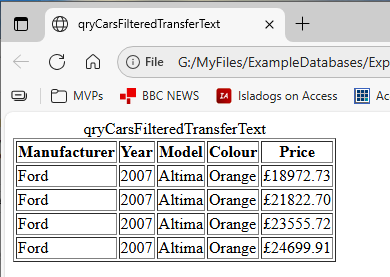
DoCmd.TransferText acExportHTML, , "qryCarsFiltered", "G:\MyFiles\ExampleDatabases\ExportObjectsToHTML\qryCarsFilteredTransferText.html", True
For more info, see the MS Help article: DoCmd.TransferText method (Access)
This gives a similar output to the wizard (without formatting option) but with field headings optionally displayed.
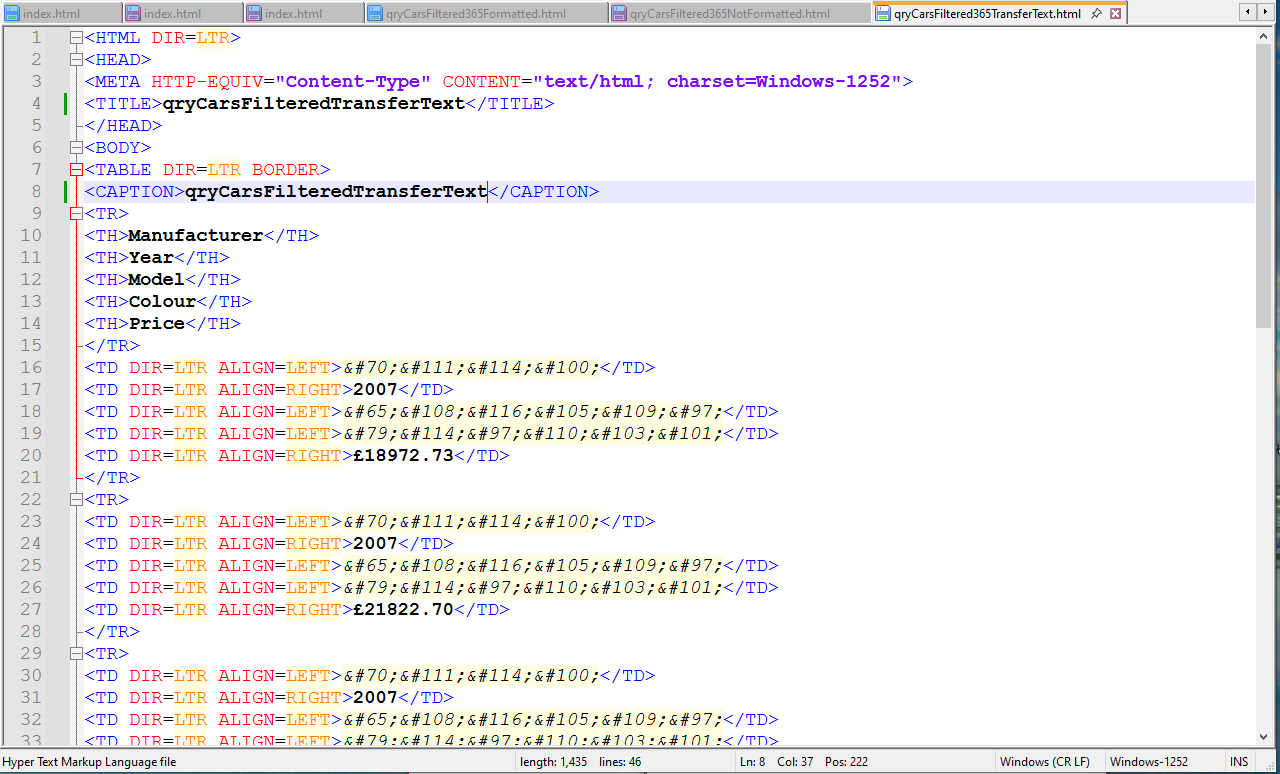
The underlying HTML is similar to the unformatted HTML output from the wizard.
Output Data Errors using the Export HTML wizard with formatting
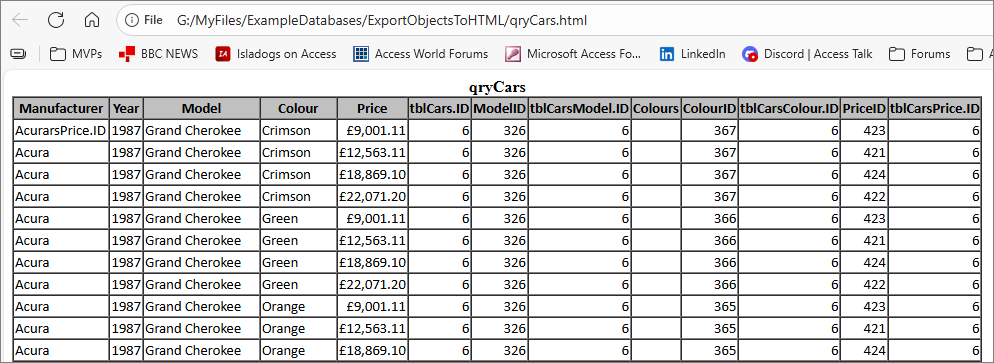
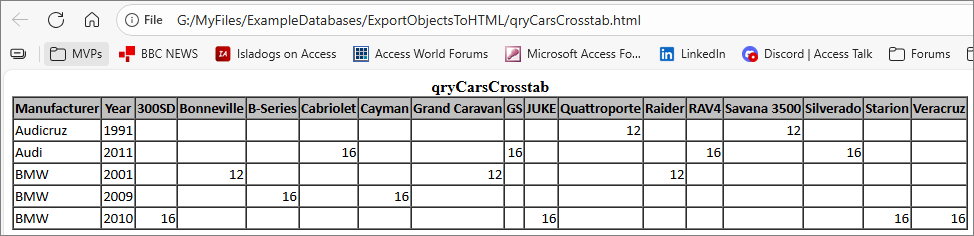
As mentioned above, additional character(s) appear on the end of the first field but only in the first record.
Further investigation with other queries indicate that the extra characters are taken from the end of the final field name.
In this example, Acura becomes AcurasPrice.ID where the final field is tblCarsPrice.ID
The next example has Audi changed to Audicruz, where the final field is Veracruz
Here Dodge becomes Dodgers with the final field being Colours
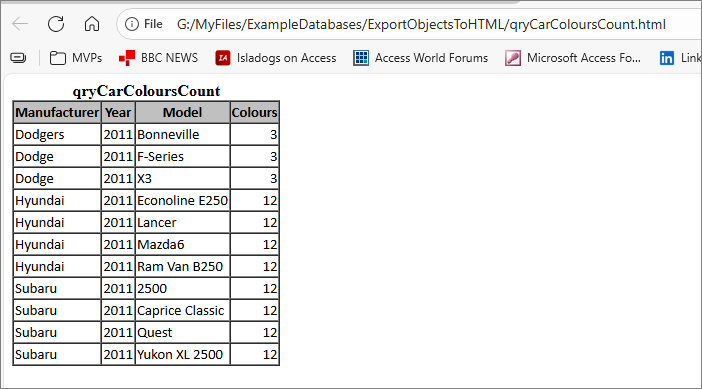
Data scrambling appears to happen for all queries exported as HTML using this approach .
A further problem occurs if forms with an unbound checkbox are exported as HTML with formatting.
For example, I exported this form as HTML:
In this case, an additional field (chkMonaco) is created which combines the checkbox value (in this case False) with the end of the value of the final field for the previous record!
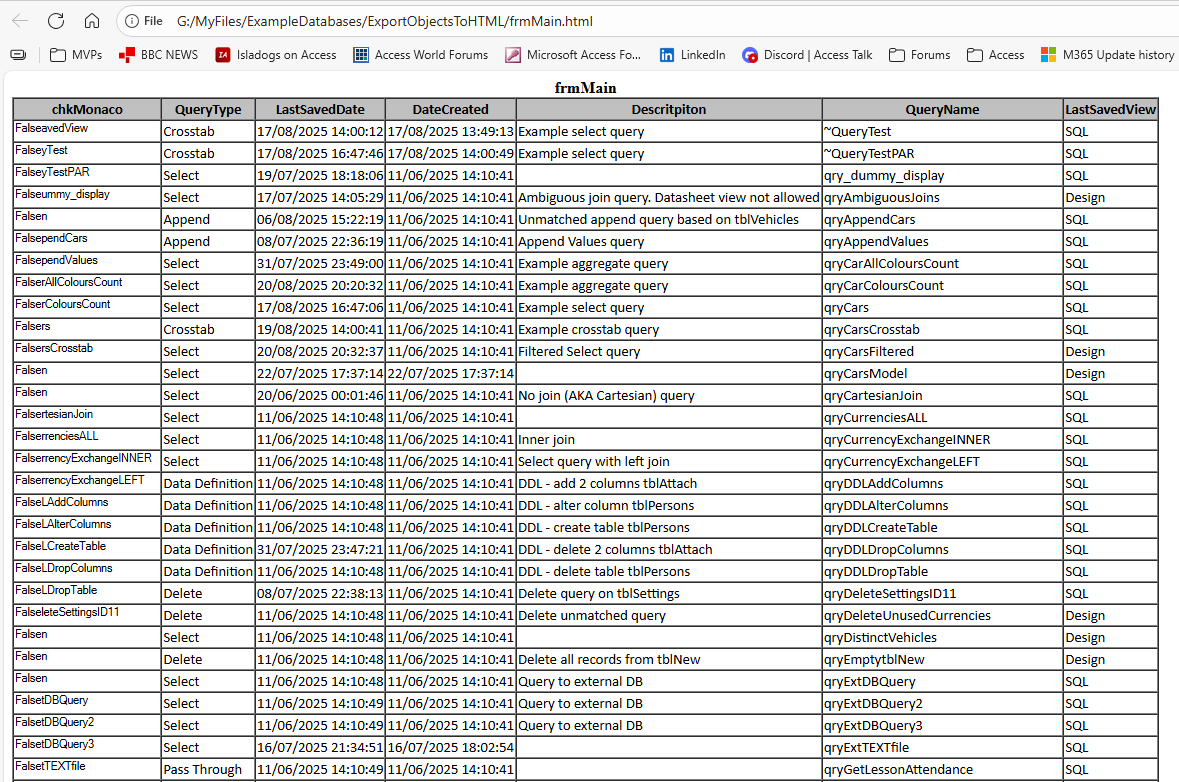
If the checkbox value is set True all the values in the 'false' field chkMonaco are changed with that value at the start.
In addition, the Description field header spelling has been altered to Descritpiton. I have no idea why!
Status / Workarounds
I reported these issues to the Access team on 19 Aug 2025 and got an immediate response.
The encoding of all data and related issues with data scrambling was a recent change from about version 2506 onwards affecting current and insider channels.
The issues may have been indirectly related to essential compliance work completed in all Office applications over the past few months.
The Access team released a fix to the Beta Channel with version 2509 build 19230.20002 on 2 Sept. Exported data is no longer encoded. For example:
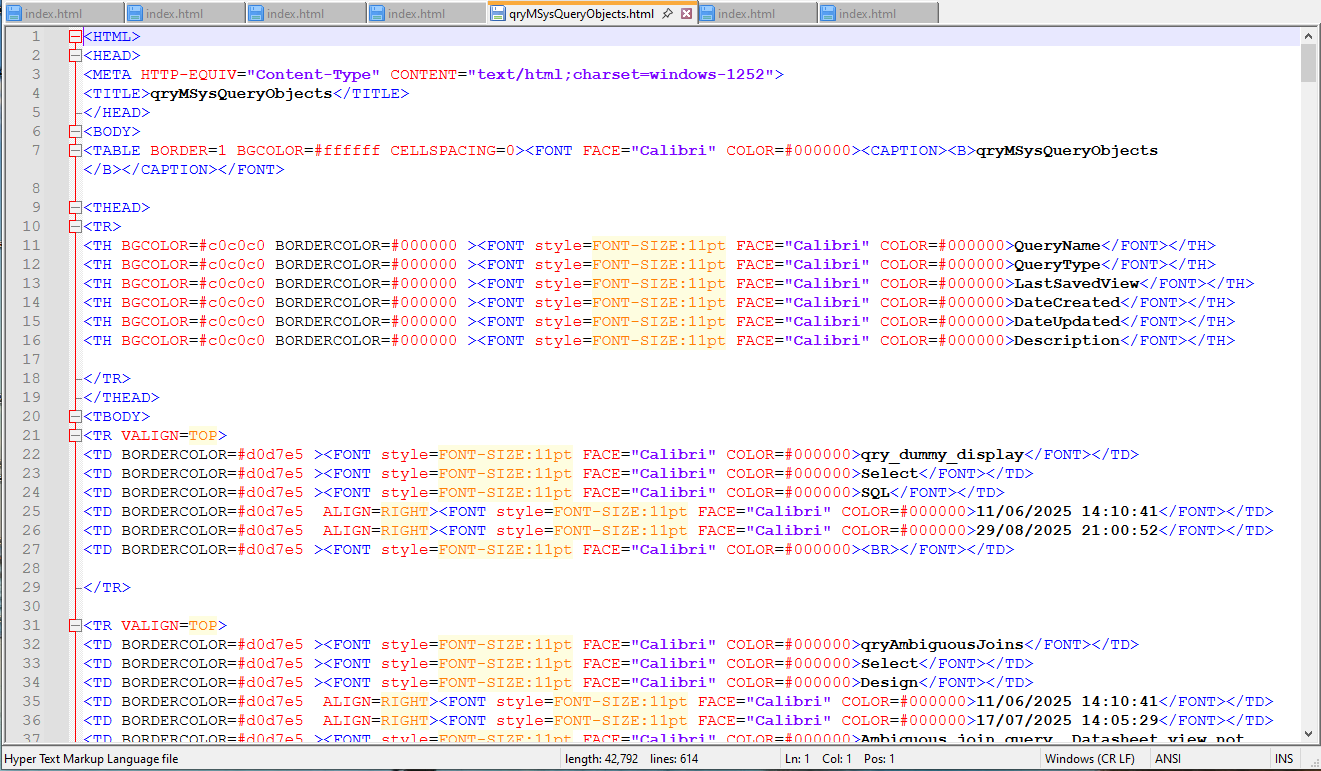
This change solves all the issues described above. Other channels will receive the fix soon.
In the meantime, the workarounds for those who need to export objects as HTML, are to do one of the following:
a) use the wizard with the export with formatting and layout option unticked
b) do the export in code using DoCmd.TransferText
Feedback
Please use the E-Mail button in the contact form below to let me know whether you found this article useful or if you have any questions.
Please also consider making a donation towards the costs of maintaining this website. Thank you
Colin Riddington Mendip Data Systems Last Updated 4 Sept 2025
|
Return to Bugs & Fixes Page
|
Return to Top
|