| First Published 5 Aug 2026 | Last Updated 12 Aug 2026 |
|---|

This article arose from a thread at Access World Forums by Kitayama: Struggling with Scrollbar
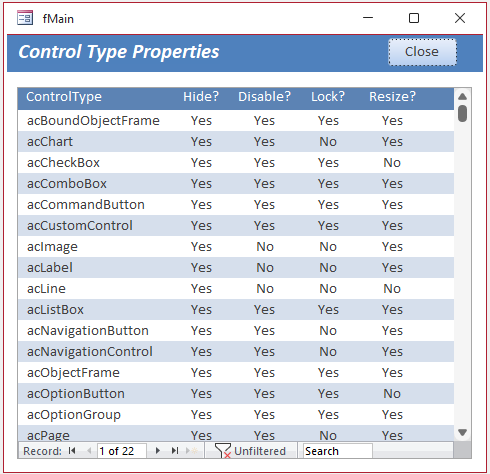
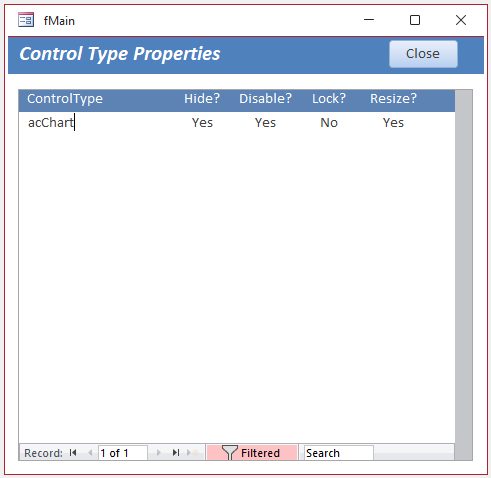
The reported issue is that an unwanted grey bar can be left behind when the vertical scrollbar disappears after filtering a continuous form or subform to a single record.
Steps to Reproduce:
Use a continuous subform or multiple items style continuous form with a vertical scrollbar.
Make sure there are sufficient records for the scrollbar to be visible when the form is unfiltered.
Now filter to a single record (or no records) in one step. The grey bar appears where the vertical scrollbar would normally be.
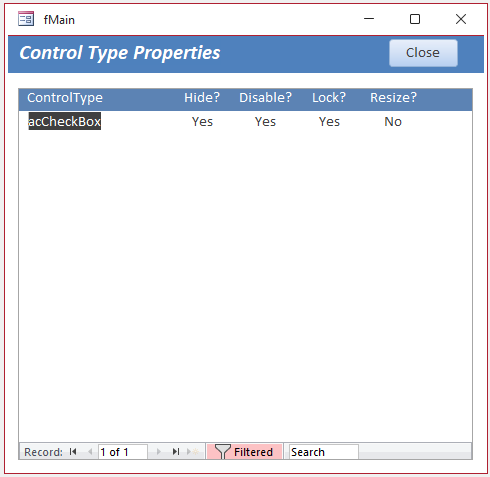
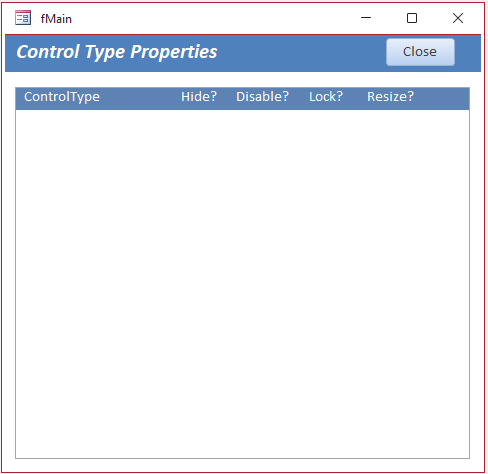
| Unfiltered Form | Filtered - One Record | Filtered - No Records |
|---|---|---|
 |
 |
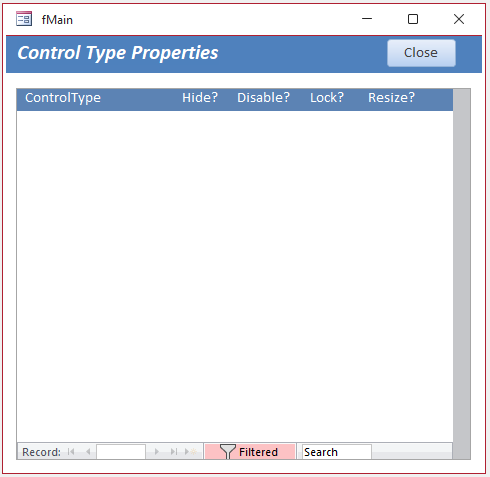 |
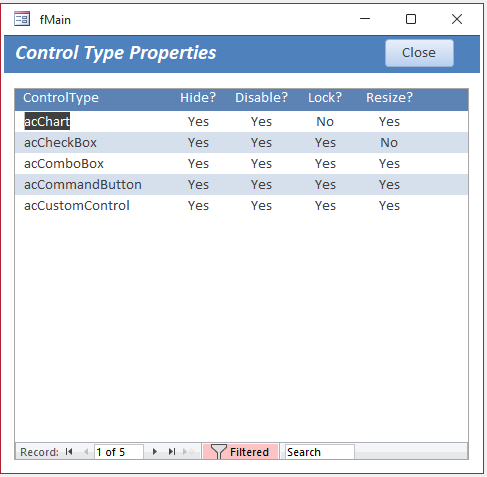
The grey bar doesn’t appear if you filter to two or more records, or if you filter to a single record (or no records) in two or more steps.
| Filtered - Several Records | Repeat Filter - One Record | Repeat Filter - No Records |
|---|---|---|
 |
 |
 |
This unwanted effect has occurred in all Access versions since at least 2010 and is very unlikely to be fixed.
However, the issue can easily be fixed using code in the Form_Current event of the form/subform. For example:
Private SubForm_Current()DimrsAsDAO.RecordsetSetrs=Me.RecordsetIfrs.RecordCount< 2ThenMe.ScrollBars= 0'noneElseMe.ScrollBars= 2'vertical onlyEnd IfEnd Sub
For similar reasons, you will also get a horizontal grey bar if the navigation buttons are not visible and the form is widened so no horizontal scrollbar is needed.
I have always assumed this is an artefact of it being a "shared space".
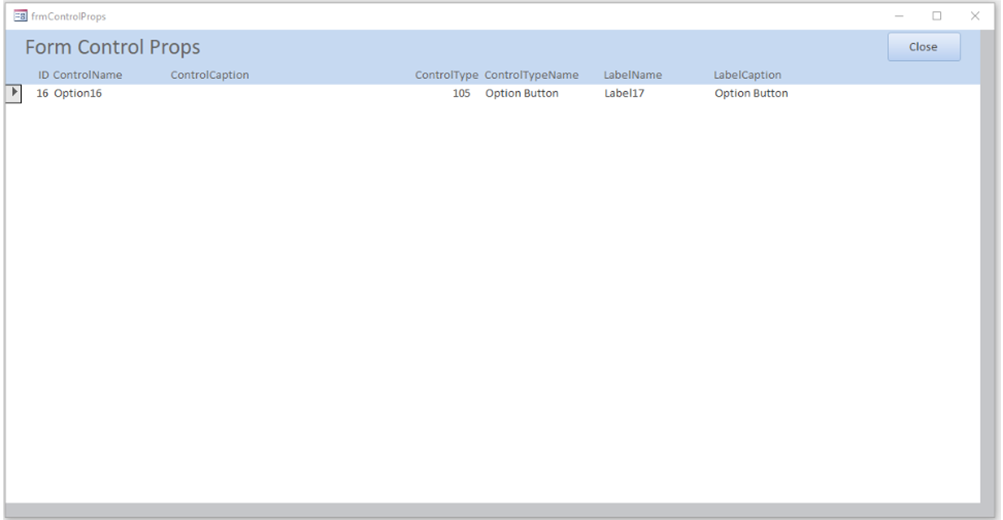
This can also be solved using similar code.
NOTE:
The possible scrollbar values are: 0 = none; 1 = horizontal only; 2 = vertical only; 3 = both
Download
Click to download: Scrollbar Filter Fix ACCDB file - approx 0.5 MB (zipped)
As is the case for all files downloaded from the internet, first unblock the downloaded file, unzip, then save to a trusted location.
For more details, see my article:
Unblock downloaded files by removing the Mark of the Web
Report View
Shortly after I published this article, when testing reports for another thread at Access World Forums, Access 2608 Build 20326: Line controls disappear in Print Preview, I discovered that the horizontal and vertical grey bar artefacts also appear in report view when the scrollbars are not visible. As I rarely use that view, I hadn't noticed this before.
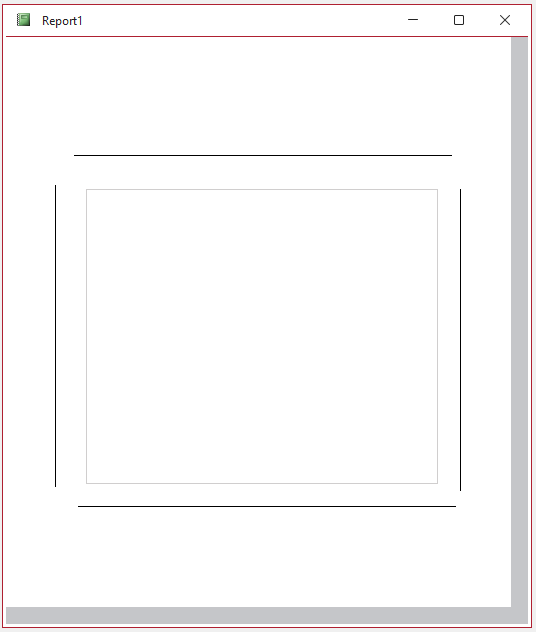
Switching to print preview (my default) removes the grey bars. Interestingly, if you then switch back to report view, no artefacts are seen.
Once again, it appears that the grey bars appearance depends on whether the form or report view is displayed before or after Access paints the scrollbar(s).
Access World Forums member, Eric Blomquist, explained this behaviour in forms as follows:
I've found this behavior has to do with whether the filter is applied before or after the subform control paints the scrollbar.
In a main form-sub form configuration where the filtering is driven solely by the PK-FK relationship and the LinkMasterFields and LinkChildFields properties, the subform loads unfiltered before the main form and its controls. The subform control gets that unfiltered form, usually can't display all records, so paints a VScrollBar before it applies the LMF/LCF properties to filter the form. If the control then can display all of the filtered form's records, the artifact will be present.
Lazy loading the form can fix this in many cases. It causes the form to load filtered according to the LMF/LCF properties. If the control can display all of the filtered form's records in this case, it won't paint the VScrollBar in the first place, so no artifact will be present.
For this case, the filter depends on the ListBox and is more dynamic, so the effect of the behavior is much more jarring. Colin's approach of toggling the form's ScrollBars property works. Another approach might be to toggle the control's SourceObject property, to prevent the VScrollBar from being drawn in the first place.
Beware that lazy loading fails to avoid this behavior with self joins because Access gratuitously overwrites the two link field properties with both the PK and FK fields' names when SourceObject is set. Correcting this bizzare behavior by re-setting the two LMF/LCF fields filters the control's form but the control already will have painted the scrollbar based on the unfiltered form's record count and the artifact will appear.
Feedback
Please use the Email button in the contact form below to let me know whether you found this article useful or if you have any questions.
Please also consider making a donation towards the costs of maintaining this website. Thank you
| Colin Riddington | Mendip Data Systems | Last Updated 12 Aug 2026 |
|---|
|
Return to Code Samples Page
|
Return to Top
|