Last Updated 11 May 2018
Sometimes the navigation pane can become so small it cannot be expanded
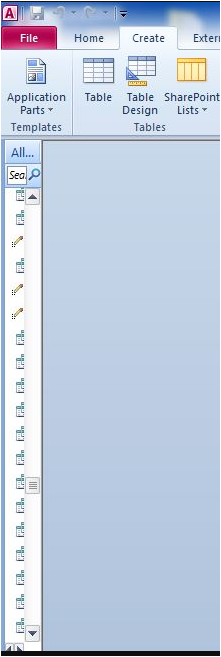
Here are three possible solutions:
1. Use code
Run this code from a standard module
CODE:
Public Function MaximizeNavigationPane()
On Error GoTo ErrHandler
DoCmd.NavigateTo "acNavigationCategoryObjectType"
DoCmd.Maximize
Exit_ErrHandler:
Exit Function
ErrHandler:
MsgBox "Error " & Err.Number & " in MaximizeNavigationPane routine : " & Err.Description, vbOKOnly + vbCritical
Resume Exit_ErrHandler
End Function
2. Toggle the F11 button
3. Modify the search bar
Right click to get the navigation options and untick (or tick) show the search bar.
With thanks to Utter Access forum member louverrill

Feedback
Please use the E-Mail button in the contact form below to let me know whether you found this article useful or if you have any questions.
Please also consider making a donation towards the costs of maintaining this website. Thank you
Colin Riddington Mendip Data Systems Last Updated 11 May 2018
|
Return to Code Samples Page
|
Return to Top
|