First Published 25 Aug 2025
A recent blog article was asking how to select all text in a textbox e.g. in a single or continuous form.
The author had tried using Ctrl+A which he (incorrectly) thought did nothing at all. In fact Ctrl+A selects all the text in all fields and for all records.
The author of the blog suggested using TAB followed by SHIFT+TAB to select all the text. This MAY work depending but only if the client settings are as follows:
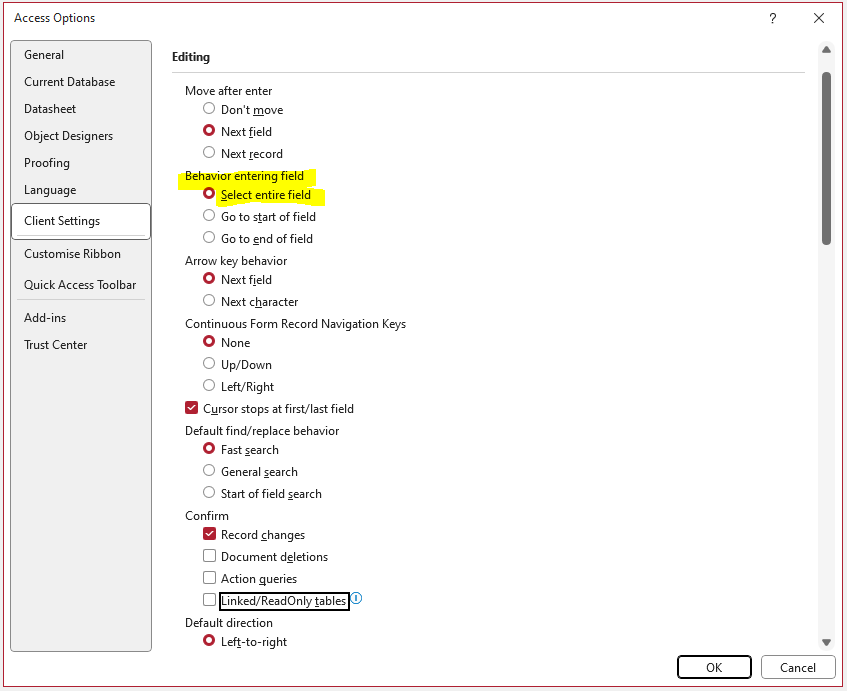
However if the client settings are for one of the other two options, that behaviour will instead occur when using SHIFT + TAB to return to the original textbox.
As developers, we should NEVER rely on a specific client setting as it isn't guaranteed that the code will behave predictably.
Instead, to select all the text in a textbox you can use a combination of the SelStart and SelLength functions. For these to work you must first set the focus to the textbox.
For example, button click code can be used to copy all the text in one textbox (Text0) to another textbox (Text3):
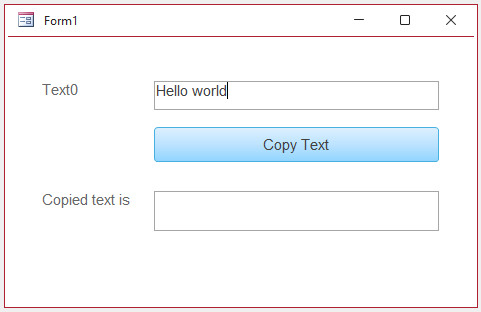
CODE:
Private SubcmdCopy_Click()Me.Text0.SetFocusMe.Text0.SelStart= 0Me.Text0.SelLength=Len(Me.Text0)DoCmd.RunCommand acCmdCopyMe.Text3.SetFocusDoCmd.RunCommand acCmdPasteEnd Sub
The result after clicking the button is:
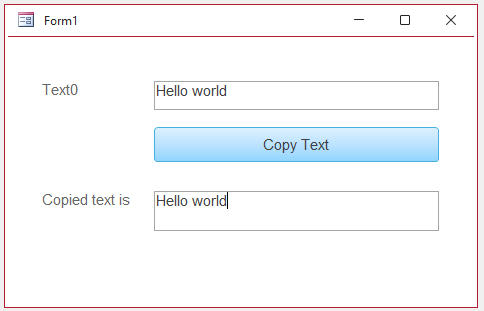
The SelStart & SelLength functions have many other uses. For example they can be used to limit the number of characters allowed in a long text field.
See my article: Set Character Limit in Long Text (Memo) Fields

Feedback
Please use the E-Mail button in the contact form below to let me know whether you found this article useful or if you have any questions.
Please also consider making a donation towards the costs of maintaining this website. Thank you
Colin Riddington Mendip Data Systems Last Updated 25 Aug 2025
|
Return to Code Samples Page
|
Return to Top
|