
First Published 30 Aug 2025
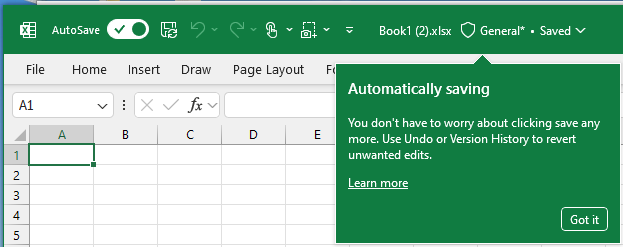
Teaching callouts are a relatively new feature in Office apps. Their purpose is to alert users to significant changes that the various development teams feel are important to publicize.
Usually these are for new or improved features but occasionally to provide information about other changes.
From my tests, a maximum of one teaching callout is shown in each session and each individual callout is shown for a maximum of two occasions in separate sessions.
Callouts appear when a user clicks on the relevant ribbon menu. For example, Excel - Autosave:
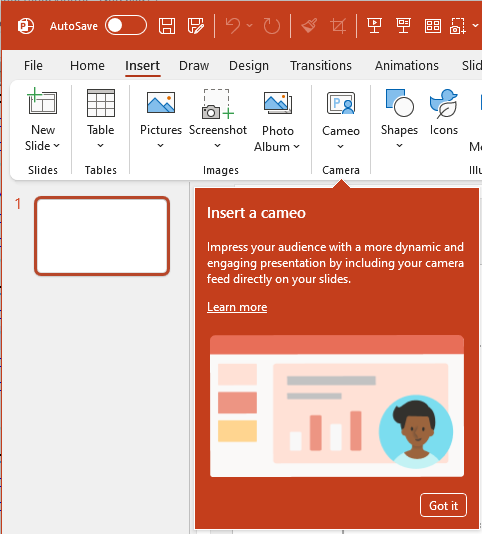
Similar callouts exist in other Office apps. For example, PowerPoint - Insert Cameo:
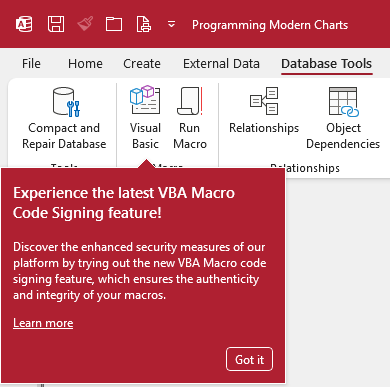
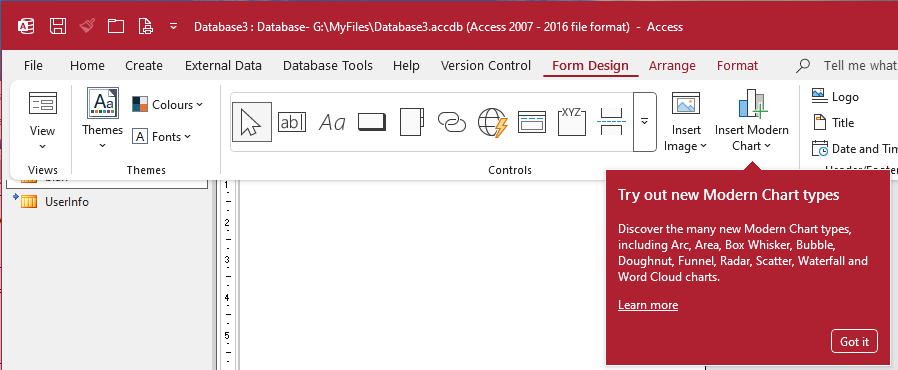
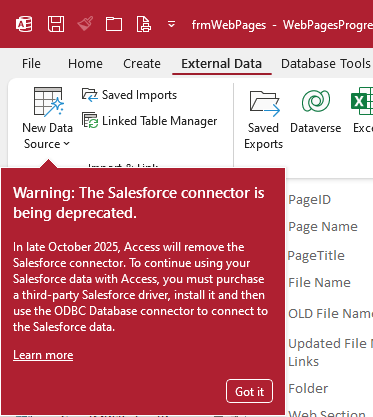
Below are four of the callouts currently available in Access:
a) VBA Code Signing
b) Modern Charts
c) Monaco SQL Editor
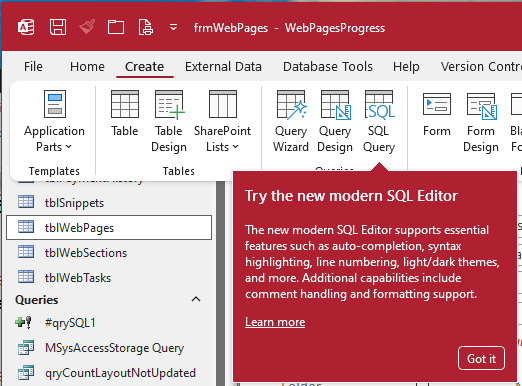
d) Salesforce connector being removed
How Teaching Callouts are managed
Settings for each teaching callout are stored in the registry. Each item can have a value of 0,1 or 2 with the initial value set as 0.
When viewed, the value increments by 1. When the value reaches 2, the callout is no longer shown.
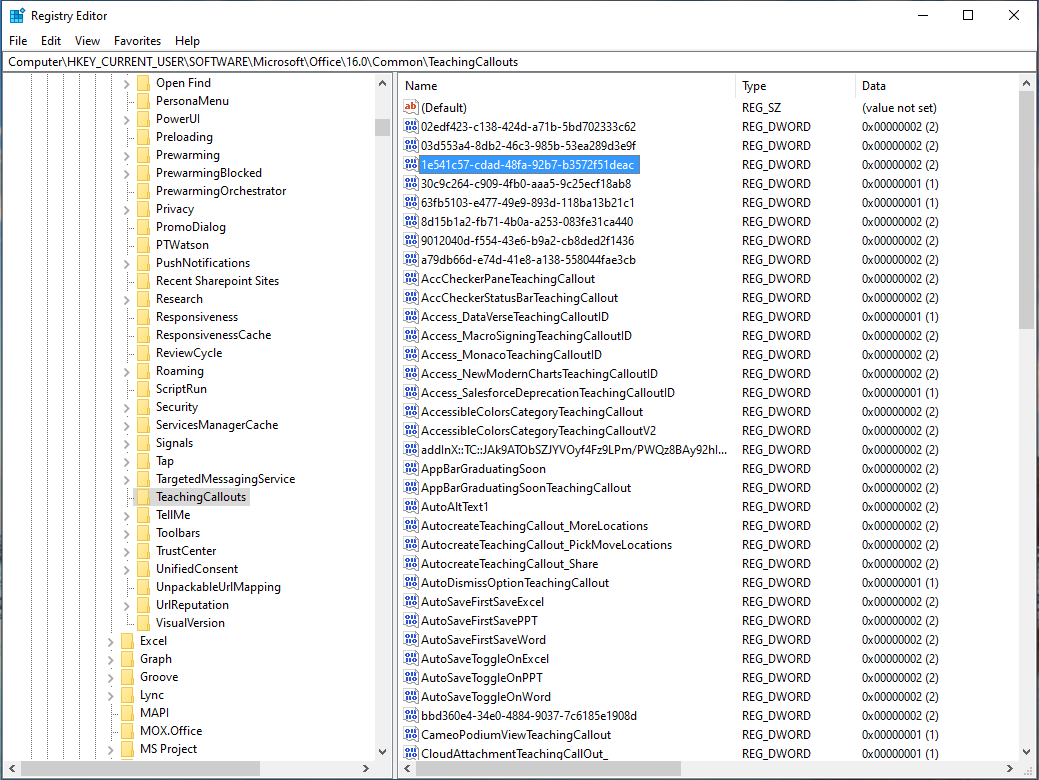
In order to display several of the callouts for this article, I edited the registry values to less than 2.
Feedback
Please use the E-Mail button in the contact form below to let me know whether you found this article useful or if you have any questions.
Please also consider making a donation towards the costs of maintaining this website. Thank you.
Colin Riddington Mendip Data Systems Last Updated 30 Aug 2025
|
Return to Access Blog Page
|
Return to Top
|