Version 2.0 Updated 10 Sept 2017 Approx 0.5 MB

The application demonstrates the use of Microsoft Text to Speech (SAPI). For obvious reasons, make sure you have the sound turned up.
As a simple example, I have created a speaking clock. This has been designed to emulate the long established British Telecom (BT) speaking clock available in the UK.
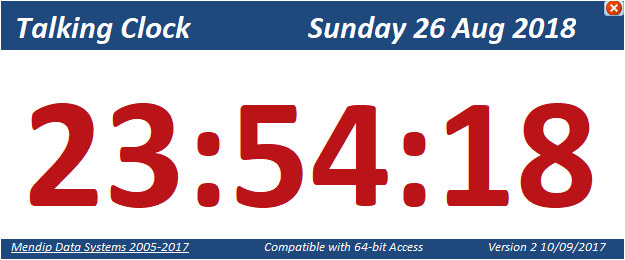
For example:
"At the third stroke it will be 23 54 and 20 seconds. Beep. Beep. Beep."
The 'beep' sound file is also included in the zip file. Save to the same folder as the database file
The application opens in a floating window with the Access application interface hidden.
To view the code, use the shift bypass key when you open the database
For further details on how to hide the application interface, see my article: Control the Application Interface
Download
Click to download: Speaking Clock (zipped)
IMPORTANT:
1. Make sure there are no spaces in the file path used for this database. This is required for the text to speech feature to work correctly.
2. The application requires the Microsoft Speech Object Library reference which has been supplied with all versions of Windows since XP (if not before).
If the reference is missing, check you have Speech Recognition enabled in Windows Control Panel / Settings.
More Examples
The text to speech code can easily be used to create voiceover commands as an ease of access feature aimed at users with poor vision.
For more examples of text to speech in Access, see these example apps elsewhere on this website:
Text to Speech
An Attention Seeking Database (Customised Message Form + Timer example)
Translate & Speak
Feedback
Please use the E-Mail button in the contact form below to let me know whether you found this article useful or if you have any questions.
Please also consider making a donation towards the costs of maintaining this website. Thank you
Colin Riddington Mendip Data Systems Last Updated 10 Sept 2017
|
Return to Example Databases Page
|
Return to Top
|